
In today’s fast-paced job market, a paper CV is no longer enough. Recruiters are drowning in applications, and your first impression is often made on a screen. To truly stand out, you need a dynamic approach: a perfect CV for the machines and a compelling video highlight reel for the humans. But what happens when your video footage is shot from far away?
This guide will show you how to master both. First, we’ll cover the essentials of a 2026-ready career package. Then, we will dive into simple yet powerful editing techniques to ensure you are the star of your own highlight reel, even in a wide shot.
The 2026 Job Application: A Two-Part Strategy
The modern job search is a game played on two fields: one against automated systems and one for human attention. You absolutely must win on both.
Part 1: The Machine-Readable CV
Applicant Tracking Systems (ATS) are the first gatekeepers. To get past them, your CV must be clean, strategic, and metric-driven.

- •Headline First: Use metrics-heavy titles.
- •Show the Numbers: Use Action + Task + Metric.
- •Digital Stack: List AI and modern tool fluency.
Part 2: Human-Centric Highlight Reel
Capture interest with a 60-second “greatest hits” video resume to overcome cognitive saturation.
Showcase your personality and communication skills visually. This is where standing out becomes critical.
How to Highlight Yourself on Screen
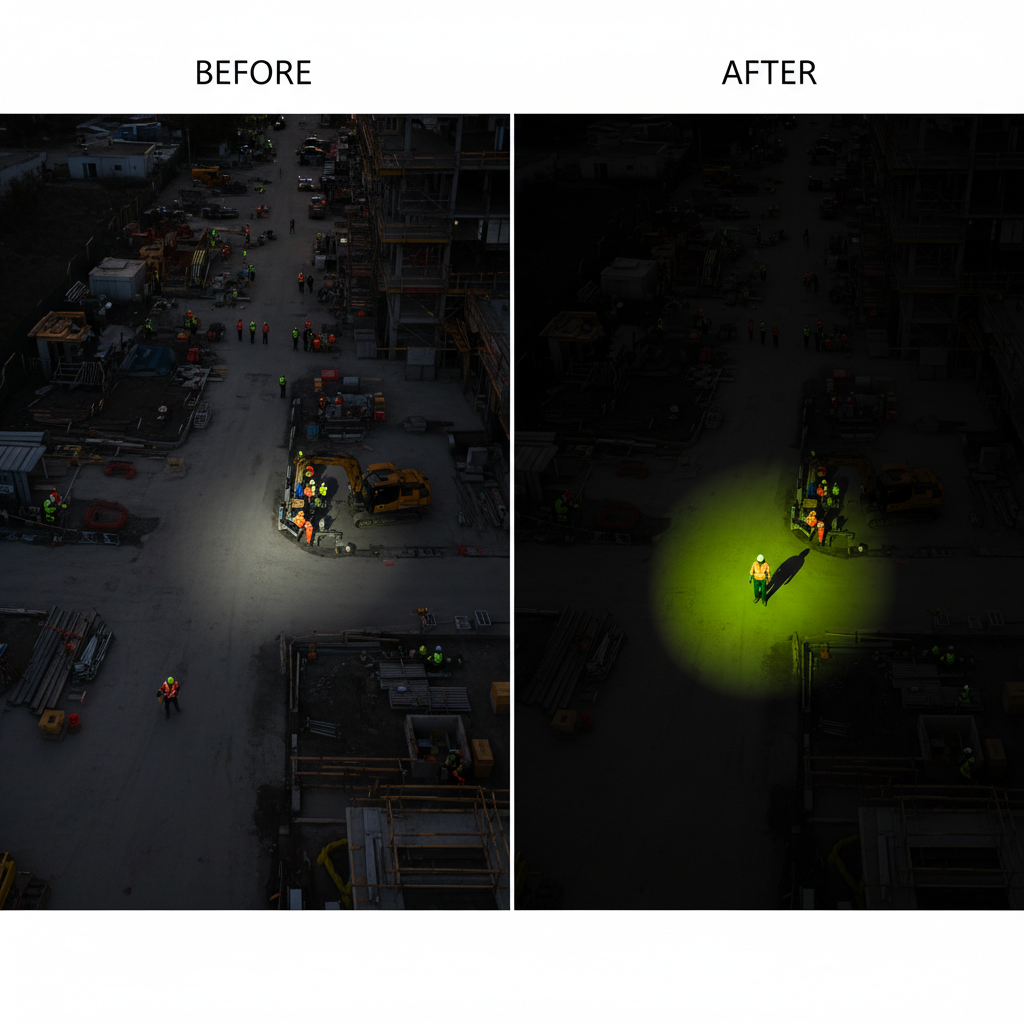
Create a Digital Spotlight
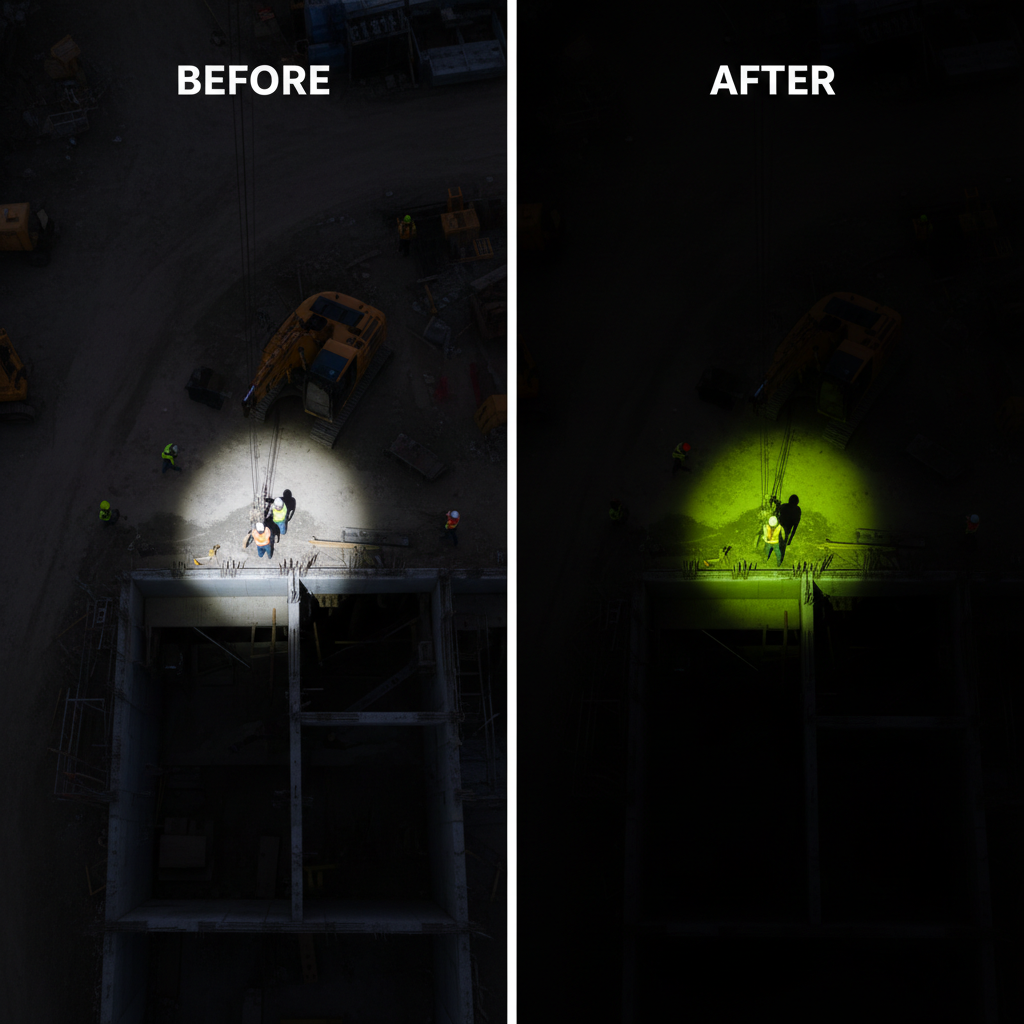
This is the easiest and most effective method. The goal is to make your subject brighter while dimming the background, creating a natural focal point.
Use Motion and Graphics
If a subtle spotlight isn’t enough, use graphics that actively point you out. Especially useful in busy scenes or sports highlights.
-
The Tracking Circle
Place a brightly colored circle or “O” graphic around yourself. Use motion tracking to make it follow you as you move.
-
The Punch-In (Digital Zoom)
If you filmed in 4K, use keyframes to create a slow, smooth “push-in” that gradually moves the focus toward you.
Proactive Tips for Filming
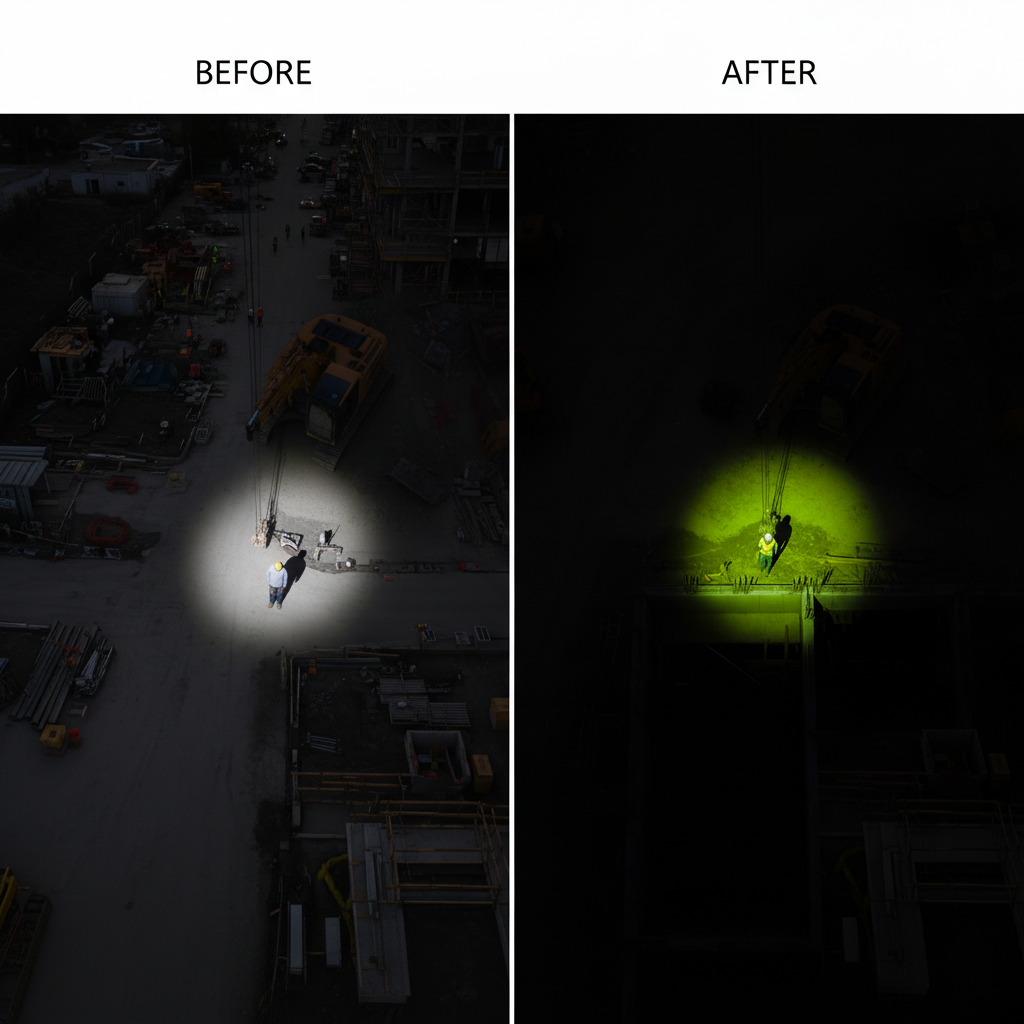
High-Contrast Clothing
Choose colors like neon green or safety orange that stand out from your environment.
Exaggerated Movement
Use large, deliberate arm gestures or walk across the frame to create trackable motion.
Golden Hour Leverage
Sunrise or sunset creates long shadows and strong silhouettes, helping you pop from a distance.
Find more inspiration on building a powerful personal brand through video on the Webflow blog.
Tying It All Together
In 2026, landing your dream job requires a complete digital presentation. Your CV must be optimized with metrics to beat the bots, while your highlight reel and portfolio must be engaging enough to win over the hiring manager. Techniques like the digital spotlight and motion graphics ensure that your hard work gets the attention it deserves on screen.
Remember to link all your assets together. Place a QR code or a clear link to your highlight reel and portfolio at the top of your CV. Feature your video prominently on your LinkedIn profile. For more ideas on structuring your career story, explore the resources available at Notion’s official blog.